Reference
Connecting Multiple PCs
You can connect multiple PCs to this product and switch the display between the connections.
Connection Examples
Note
- You can select the input signal to display using the operation switch (
 ) on the front of the monitor. For more information, see Switching Input Signals.
- This product provides a function that automatically recognizes the connector through which signals are input, and displays images on the screen accordingly. For details, see Auto Input Detection.

Using the USB Hub Function
This monitor is equipped with a USB hub. It functions as a USB hub when connected to a USB-compatible PC, allowing the connection of peripheral USB devices.
- Connect the USB cable.
- If necessary, connect a mouse, keyboard, or other device to the USB downstream port.
The power supply specifications for the USB downstream ports are described below.
- The monitor is turned on, in standby mode, or is off and "Compatibility Mode" is set to "On"
- Among the two USB-A (USB 5Gbps) downstream ports located on the left side of the monitor, the front port (see illustration below) supplies power even when the PC and monitor are not connected via USB. The other downstream ports supply power only when the PC and monitor are connected via USB.
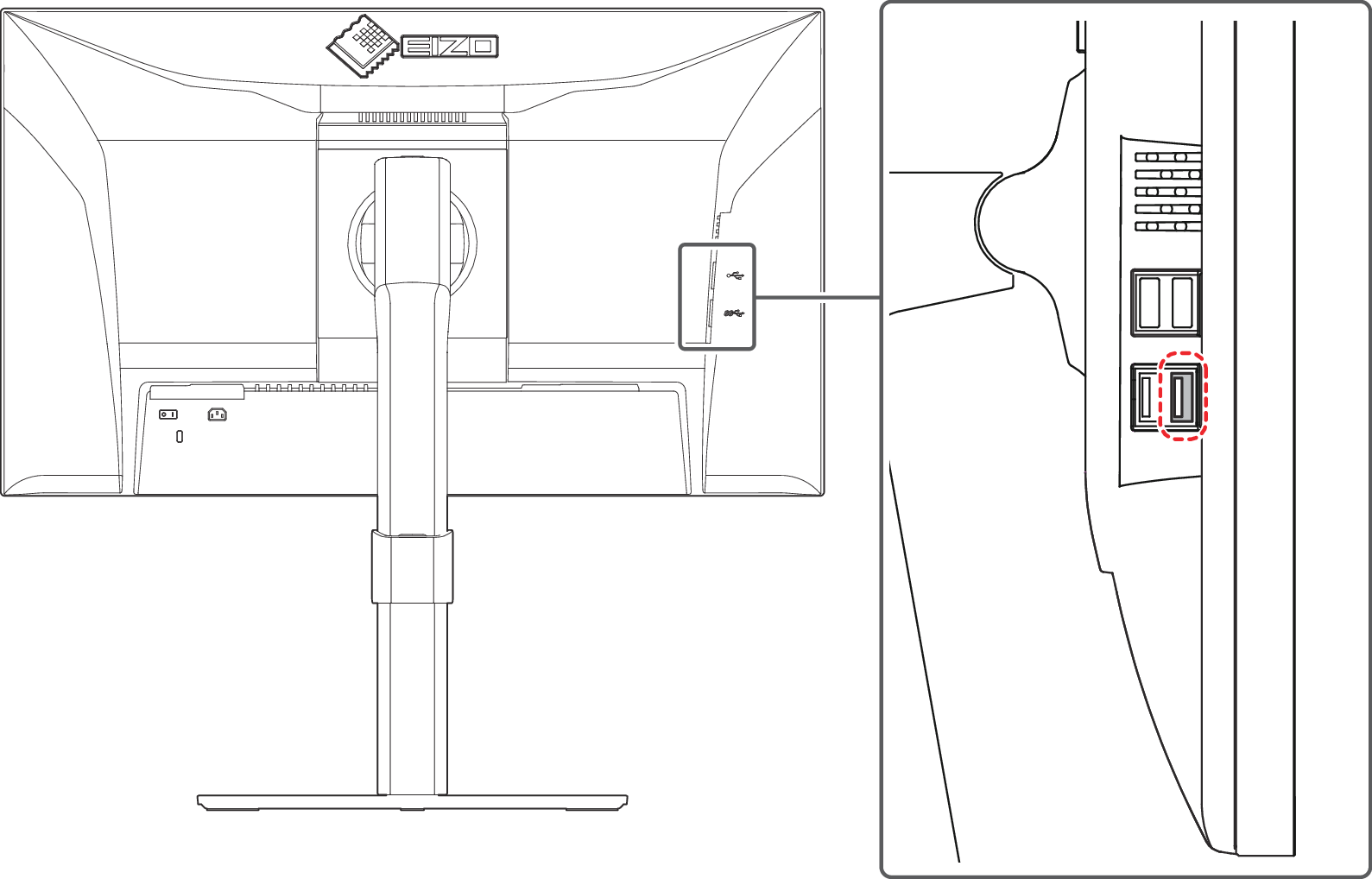
- The monitor is turned off and "Compatibility Mode" is set to "Off"
- The USB downstream ports do not supply power (connected devices will not operate).
Attention
- This function may not work depending on the PC you are using, your OS, and your peripheral devices. Contact the manufacturer of each device for information about USB compatibility.
Realizing More Convenient Operations Using Screen InStyle
The "Screen InStyle" monitor control utility enables you to use the monitor more conveniently.
- The monitor color mode can be switched automatically to suit the software to be used.
- You can divide the desktop into your preferred layout and freely arrange each window.
- You can switch the color mode using keyboard hotkeys.
- When multiple monitors are installed, you can turn the power on and off or change the color mode of all monitors at the same time.
Note
- Screen InStyle can be downloaded from our web site (www.eizoglobal.com ).