Introduction
Thank you very much for choosing an EIZO color LCD monitor.
Controls and Functions
Front
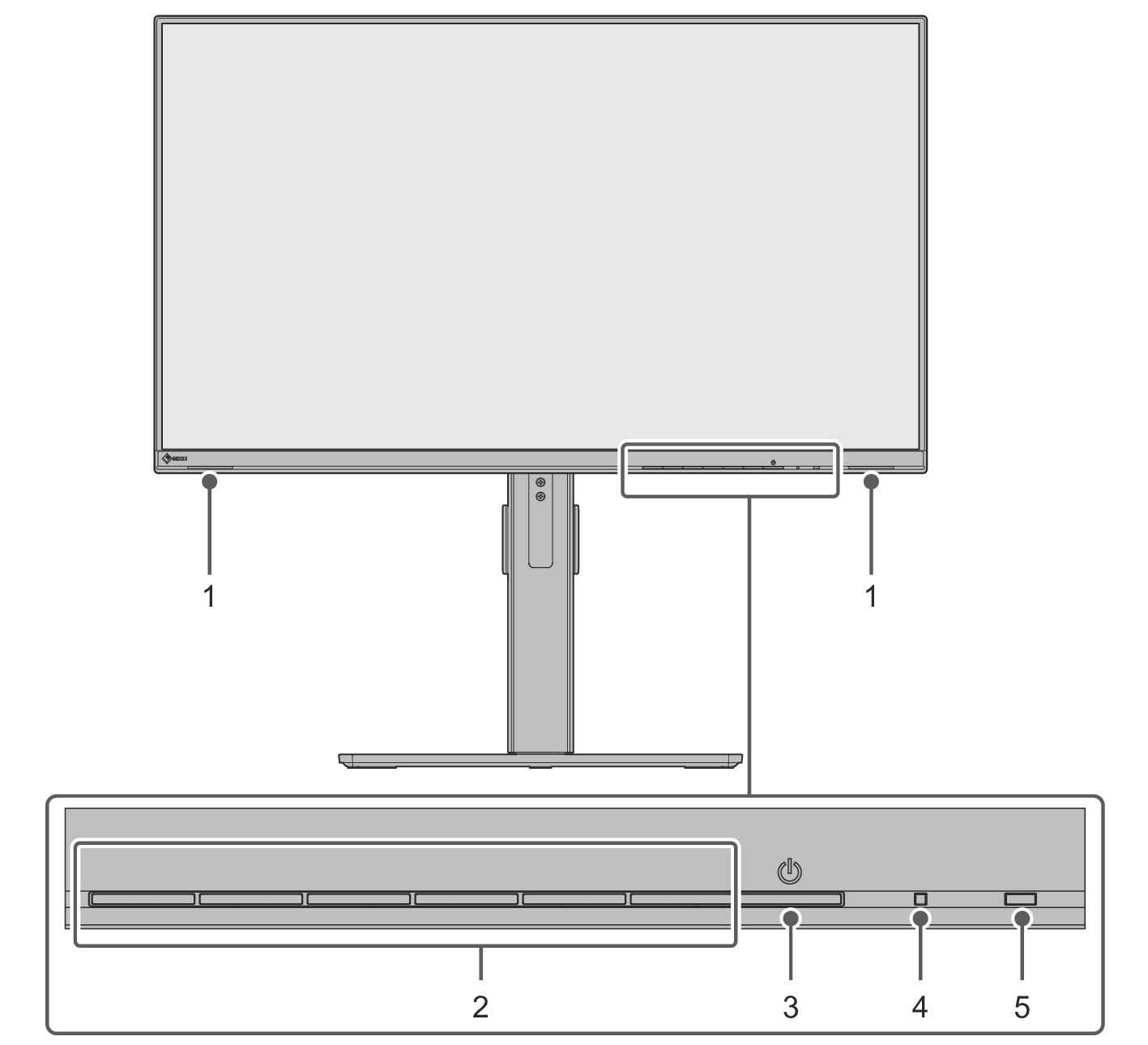
| Outputs audio. |
| Display menus. Operate the switches according to the operation guide (see Basic Operation of the Setting Menu). |
| Turns the power on or off. |
| Indicates the operation status of the monitor. White: Normal operation mode Orange: Standby (Power saving) mode Off: Main power / power off |
| Detects ambient brightness. If you use Auto EcoView, the screen brightness is automatically adjusted according to the ambient brightness (see Auto EcoView). |
Back
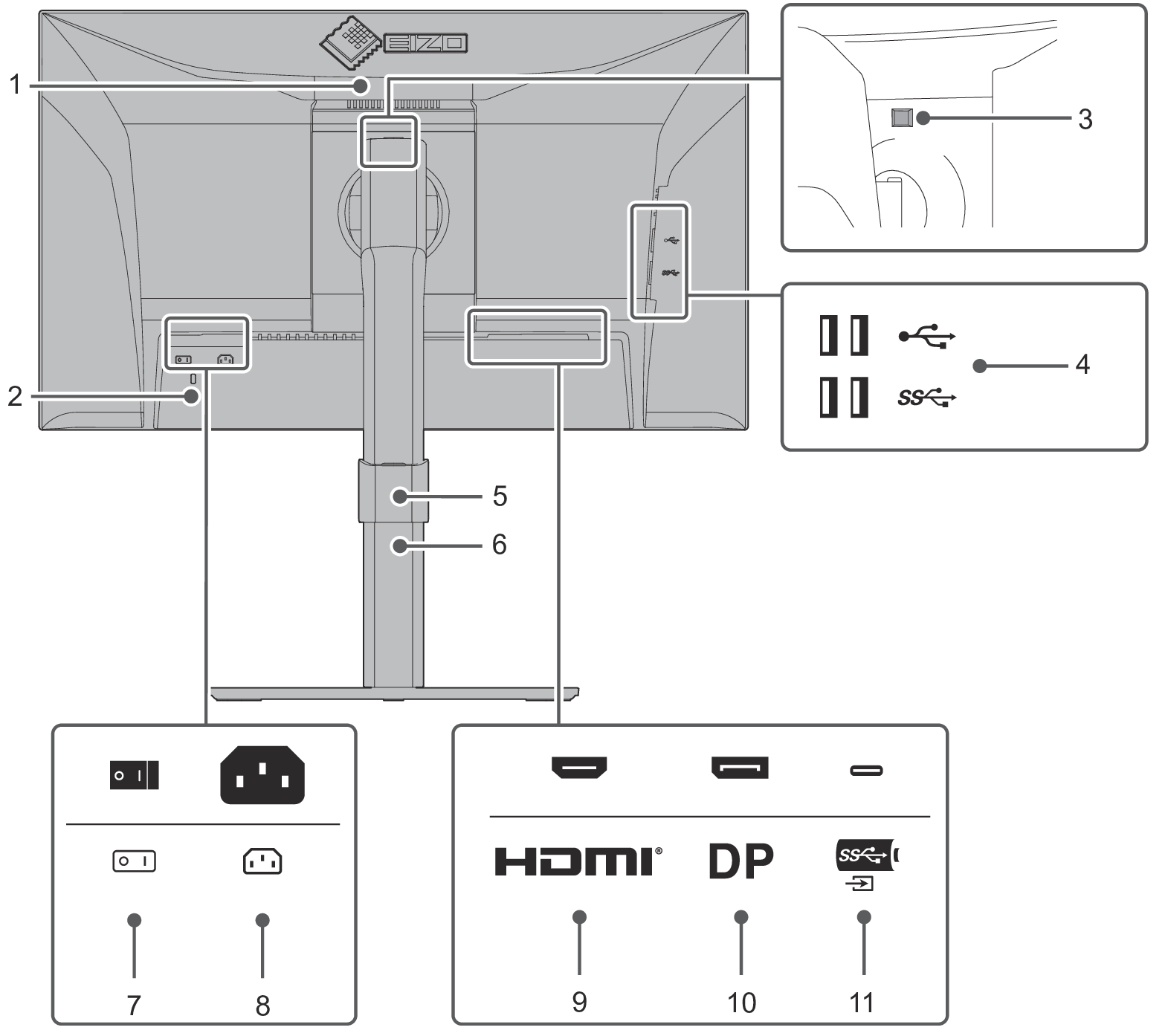
| This handle is used for transportation. |
| Complies with Kensington's MicroSaver security system. |
| Use this button to remove the monitor from the stand. |
| Connects to a peripheral USB device (see Using the USB Hub Function).
|
| Holds the monitor cables. |
| Adjusts the height and angle (tilt and swivel) of the monitor. The monitor can also be rotated vertically. |
| Turns the main power on or off.
|
| Connects the power cord. |
| Connects to a PC with HDMI signal output. |
| Connects to a PC with DisplayPort signal output. |
| Connects to a PC with USB-C signal output. Connect a USB cable to use the USB hub function (see Using the USB Hub Function). |
 : USB 5Gbps (blue connector)
 : USB 2.0
 : On,
 : Off
- A separate stand (or monitor arm) can be attached to this product by removing the stand.
