

|
|
FDF2731W-IP |
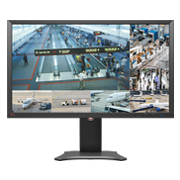
- Basic Information
- Manuals
- FAQs and Compatibility
- Lifecycle Policy

User's manuals may not be available for some end-of-life products. We appreciate your understanding.
Languages
| FDF2731W-IP / DX0231-IP User's manual | English | 7.02 MB |
 |
| FDF2731W-IP / DX0231-IP User's manual | German | 7.06 MB |
|
| FDF2731W-IP Setup manual | English | 1.83 MB |
|
| FDF2731W-IP Setup manual | German | 1.82 MB |
|
| FDF2731W-IP Setup manual | French | 1.84 MB |
|
| FDF2731W-IP Setup manual | Chinese-Simplified | 2.2 MB |
|
FAQs
Most recent information is displayed first.
| No. | Date | Question |
|---|---|---|
| 237 | July 3, 2025 | IP Decoder is Unable to Display Video from i-PRO Camera after updating the Firmware of an i-PRO Camera |
Product Cybersecurity Lifecycle Policy
A “Product Cybersecurity Lifecycle Policy” has been defined for this product to ensure that customers can always use the product optimally and with confidence. Customers using this product should review this policy to check which phase of the product lifecycle it is in. If you are using a product that is nearing "End of Support", please consider transitioning to a newer product.
Support Lifecycle
To ensure customers can use the product with confidence, we provide Maintenance Support for two years and Limited Support for three years after the end of production of the product*.

*This is the support policy for product vulnerabilities related to cybersecurity. For malfunctions or defects, support will be provided according to the contents of the warranty.
We define the following four phases of support.
"Mainstream" phase
During this period, required countermeasures and improvements are reflected in production to supply optimal products to the market. Additionally, we provide risk mitigation methods on identified vulnerability information and prepare firmware updates for sold products as necessary.
"Maintenance Support" phase
This is a two-year period starting from the end of production. During this period, we provide risk mitigation methods and prepare firmware updates for significant defects and vulnerabilities identified.
"Limited Support" phase
This phase starts from the end of the Maintenance Support phase and lasts for three years until support is completely terminated on the End of Support date. During this period, we mainly collect and provide risk mitigation methods on identified vulnerability information (including advisory to refrain from using certain product functions, in some cases).
"End of Support" phase
This is the phase after the End of Support date. We will not address significant defects and vulnerabilities identified after the End of Support date. Customers using the product with this phase should consider transitioning to a newer product.


