

|
|
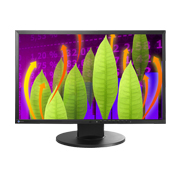
EV2216WLatest Update
|

- Basic Information
- Software and Drivers
- Manuals
- FAQs and Compatibility
Software and Drivers Download
OSes

User manuals for certain discontinued products may no longer be available.
For EIZO medical devices only: To obtain an older version of the Instructions for Use (IFU), please contact the EIZO group company or authorized distributor in your country or region. Please include the product name, serial number (S/N), required language, and your contact details.
Languages
| EV2216W (FlexStand3) User's manual | English | 3.05 MB |
 |
| EV2216W (FlexStand3) User's manual | German | 3.06 MB |
|
| EV2216W (FlexStand3) User's manual | French | 3.08 MB |
|
| EV2216W (FlexStand3) User's manual | Russian | 3.05 MB |
|
| EV2216W (FlexStand3) User's manual | Czech | 1.37 MB |
|
| EV2216W (FlexStand3) User's manual | Chinese-Simplified | 3.24 MB |
|
| EV2216W (FlexStand3)Setup guide | English, German, French, Chinese-Simplified | 936 KB |
|
| EV2216W (FlexStand3) Setup guide | Russian | 821 KB |
|
| EV2216W (FlexStand3) Setup guide | Italian | 813 KB |
|
| EV2216W (FlexStand3) Setup guide | Czech | 814 KB |
|
| EV2216W (FlexStand3) Setup guide | Swedish | 811 KB |
|
| EV2216W (FlexStand3) Setup guide | Chinese-Traditional | 922 KB |
|
| EV2216W (FlexStand3) Setup guide | Arabic | 807 KB |
|
| EV2216W (FlexStand3) Setup guide | Danish | 817 KB |
|
| EV2216W (FlexStand3) Setup guide | Dutch | 812 KB |
|
| EV2216W (FlexStand3) Setup guide | Finnish | 810 KB |
|
| EV2216W (FlexStand3) Setup guide | Greek | 822 KB |
|
| EV2216W (FlexStand3) Setup guide | Korean | 939 KB |
|
| EV2216W (FlexStand3) Setup guide | Norwegian | 813 KB |
|
| EV2216W (FlexStand3) Setup guide | Polish | 815 KB |
|
| EV2216W (FlexStand3) Setup guide | Portuguese | 812 KB |
|
| EV2216W (FlexStand3) Setup guide | Spanish | 807 KB |
|
| EV2216W (FlexStand3) Setup guide | Turkish | 811 KB |
|
| LIMITED WARRANTY | English, German, French, Russian, Chinese-Simplified, Chinese-Traditional | 630 KB |
|
FAQs
Most recent information is displayed first.
| No. | Date | Question |
|---|---|---|
| 207 | June 24, 2025 | How to Safely Disinfect and Clean EIZO Products (COVID-19) |
| 215 | January 7, 2022 | There is a clicking noise coming from the monitor. |
| 210 | July 31, 2020 | When connecting Mac (2018 or later) to an monitor with DVI input, screen flicker occurs or no image displayed. |
| 196 | August 21, 2015 | The monitor connected via DisplayPort does not show any image. |
| 191 | January 20, 2015 | Is it ok to setup the monitor on painted surface? |
Compatibility
| Date | Subject |
|---|---|
| March 24, 2026 | How to Change OS Display Settings |
| January 23, 2026 | Apple M series Chip Equipped Mac Computer and Monitor Compatibility |
| August 26, 2025 | Compatibility Issue Causing External Monitor Flicker or Image Burn-In when Connected to Mac Computer with Apple M series Chip |
| January 18, 2022 | How to Correctly Rotate Your Monitor Vertically |
| July 30, 2019 | Abnormal Display Issue on Microsoft Windows 10 May 2019 Update (1903) |
| July 24, 2019 | Booting Issue with Mac mini 2018 (macOS Mojave 10.14.5) when Connecting Monitor via USB Type-C or DisplayPort |
| April 14, 2016 | Microsoft Windows 10 (1507) Compatibility with EIZO Software |
| October 25, 2013 | Microsoft Windows 8.1 Compatibility with EIZO Software |


