

|
|
FS2735Important Notices
Latest Update
|
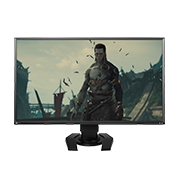

- Basic Information
- Software and Drivers
- Manuals
- FAQs and Compatibility
FAQs and Compatibility
Dimension Drawing / 2D-CAD (DXF)
Product Compatibility
Accessories
| Arms |
Wall Mount Arm (1-Axis Arm) LA-011-W |
|---|---|
| Monitor Cleaning Kit | ScreenCleaner |
Downloads
Important Notices
Software and Drivers Download
OSes
Software
G-Ignition
Adjust the monitor settings using the mouse or keyboard. (This is the successor software of ScreenManager Pro for Gaming.)
| OSes | Version | Size | Download |
|---|---|---|---|
|
Windows 10 (64-bit) Windows 10 (32-bit) Windows 8.1 (64-bit) Windows 8.1 (32-bit) Windows 7 (32-bit) Windows 7 (64-bit) |
3.0.2 | 40.4 MB |
 |
Drivers
FORIS FS2735 firmware
This is the software to update the firmware for the EIZO monitor.
Please check the following items before updating firmware.
- Exit G-Ignition software.
- Exit Any other application that communicate with monitor via USB.
- Turn off Bluetooth function of the smartphone if using G-Ignition Mobile.
| OSes | Version | Size | Download |
|---|---|---|---|
|
Windows 10 (64-bit) Windows 10 (32-bit) Windows 8.1 (64-bit) Windows 8.1 (32-bit) Windows 8 (64-bit) Windows 8 (32-bit) Windows 7 (32-bit) Windows 7 (64-bit) Windows Vista (32-bit) Windows Vista (64-bit) |
1.0004 | 3.83 MB |
|
|
OS X El Capitan (10.11) OS X Yosemite (10.10) OS X Mavericks (10.9) OS X Mountain Lion (10.8) Mac OS X 10.7.5 Mac OS X 10.6.8 |
1.0004 | 3.18 MB |
|
User manuals for certain discontinued products may no longer be available.
For EIZO medical devices only: To obtain an older version of the Instructions for Use (IFU), please contact the EIZO group company or authorized distributor in your country or region. Please include the product name, serial number (S/N), required language, and your contact details.
Languages
| FS2735 User's manual | English | 1.76 MB |
 |
| G-Ignition Ver.3.0 User's manual | English | 5.77 MB |
|
| FS2735 User's manual | German | 1.78 MB |
|
| FS2735 User's manual | French | 1.81 MB |
|
| FS2735 User's manual | Russian | 1.83 MB |
|
| FS2735 User's manual | Czech | 778 KB |
|
| FS2735 User's manual | Chinese-Simplified | 2.08 MB |
|
| FS2735 Setup guide | English, German, French, Russian | 1.72 MB |
|
| FS2735 Setup guide | Italian | 1.31 MB |
|
| FS2735 Setup guide | Czech | 1.32 MB |
|
| FS2735 Setup guide | Swedish | 1.31 MB |
|
| FS2735 Setup guide | Chinese-Simplified | 1.59 MB |
|
| FS2735 Setup guide | Chinese-Traditional | 1.52 MB |
|
| FS2735 Setup guide | Arabic | 1.76 MB |
|
| FS2735 Setup guide | Danish | 1.31 MB |
|
| FS2735 Setup guide | Dutch | 1.31 MB |
|
| FS2735 Setup guide | Finnish | 1.3 MB |
|
| FS2735 Setup guide | Greek | 1.33 MB |
|
| FS2735 Setup guide | Korean | 1.4 MB |
|
| FS2735 Setup guide | Norwegian | 1.31 MB |
|
| FS2735 Setup guide | Polish | 1.32 MB |
|
| FS2735 Setup guide | Portuguese | 1.31 MB |
|
| FS2735 Setup guide | Spanish | 1.31 MB |
|
| FS2735 Setup guide | Turkish | 1.32 MB |
|
FAQs
Most recent information is displayed first.
| No. | Date | Question |
|---|---|---|
| 207 | June 24, 2025 | How to Safely Disinfect and Clean EIZO Products (COVID-19) |
| 169 | February 7, 2023 | Monitor shows incorrect color and non-smooth tone when connecting Mac via HDMI cable. |
| 215 | January 7, 2022 | There is a clicking noise coming from the monitor. |
| 197 | March 10, 2016 | Why the signal error is displayed and there are no image on the screen, when playing Blu-ray video on the player device connected via HDMI? |


