
- ColorNavigator 7




- Features
- Specifications
- Documents Compatibility
- Accessories
- Awards & Reviews
New and Improved for Photo to Film
Color Management Software for All Creatives
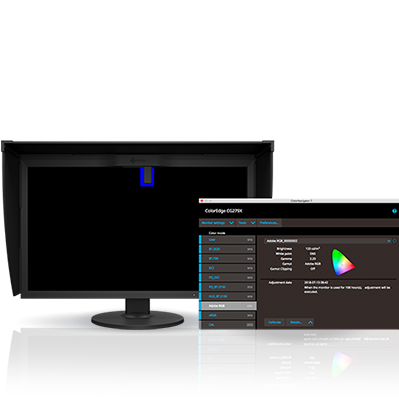
ColorNavigator 7 is the latest calibration and quality control software for ColorEdge color management monitors. It combines all the features of EIZO's previous color management software, ColorNavigator 6 and ColorNavigator NX, to create a new and improved solution for creatives in a range of fields. The proprietary software makes calibration simple and produces predictable results for photography, design, print, and video creation.
Features
Multiple Color Modes
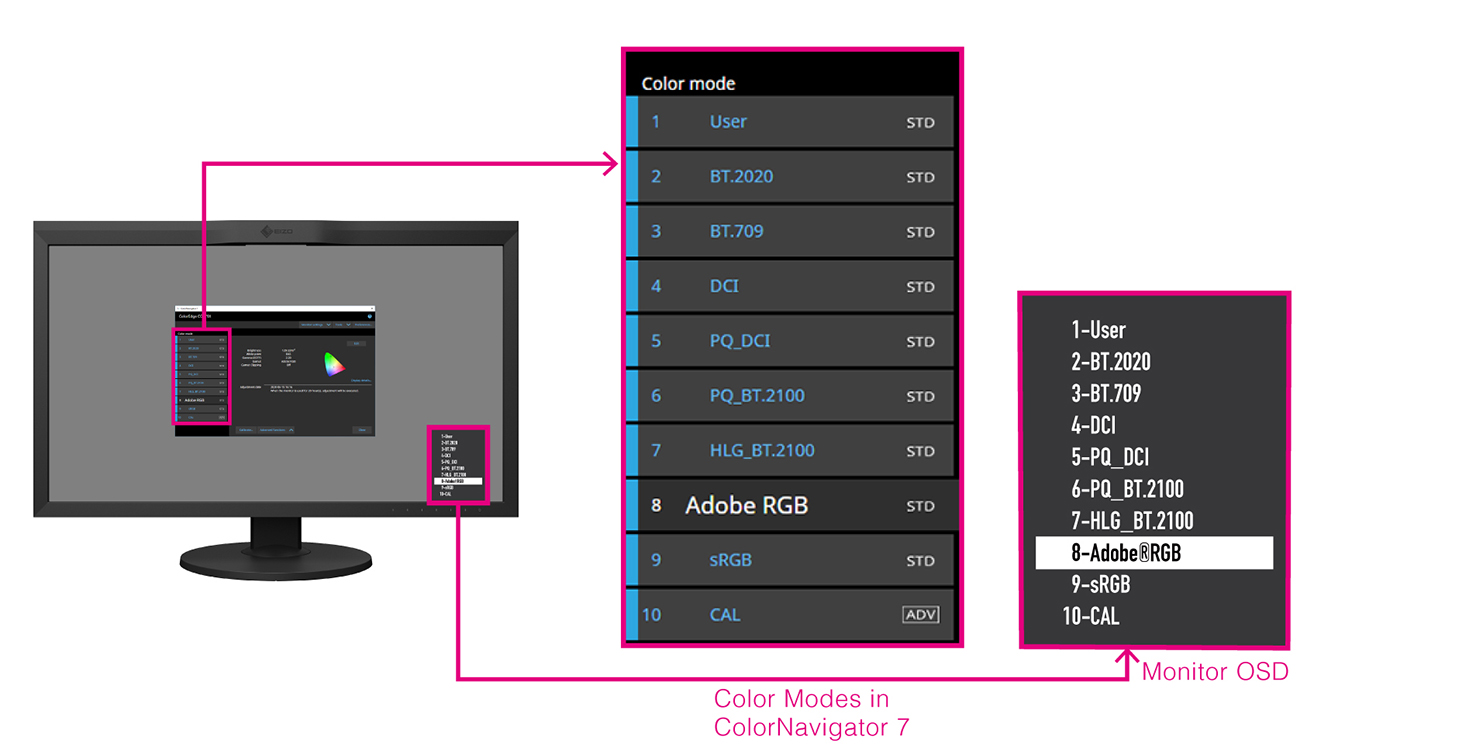
ColorNavigator 7 includes multiple color modes so you can choose the one that matches your field's target values. Furthermore, the color mode list is populated according to the monitor's OSD menu so you can rest assured that all possible options are covered.
Calibrate All Color Modes at Once
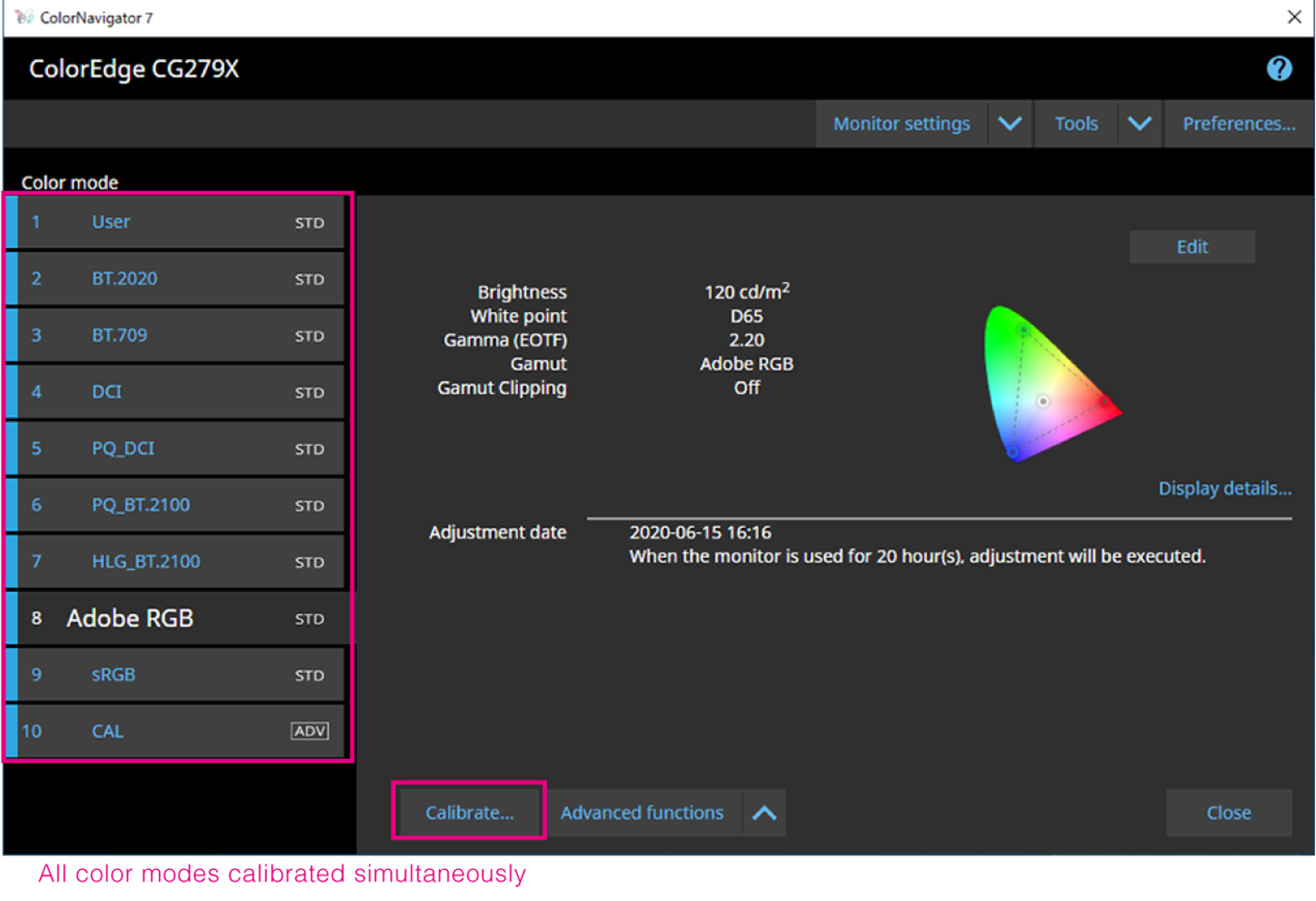
New with ColorNavigator 7 is the ability to calibrate every color mode (Standard Mode) simultaneously so you do not have to spend time managing each one individually. This saves time and ensures your screen remains accurate no matter which color mode you work in.
Schedule Automatic Recalibration
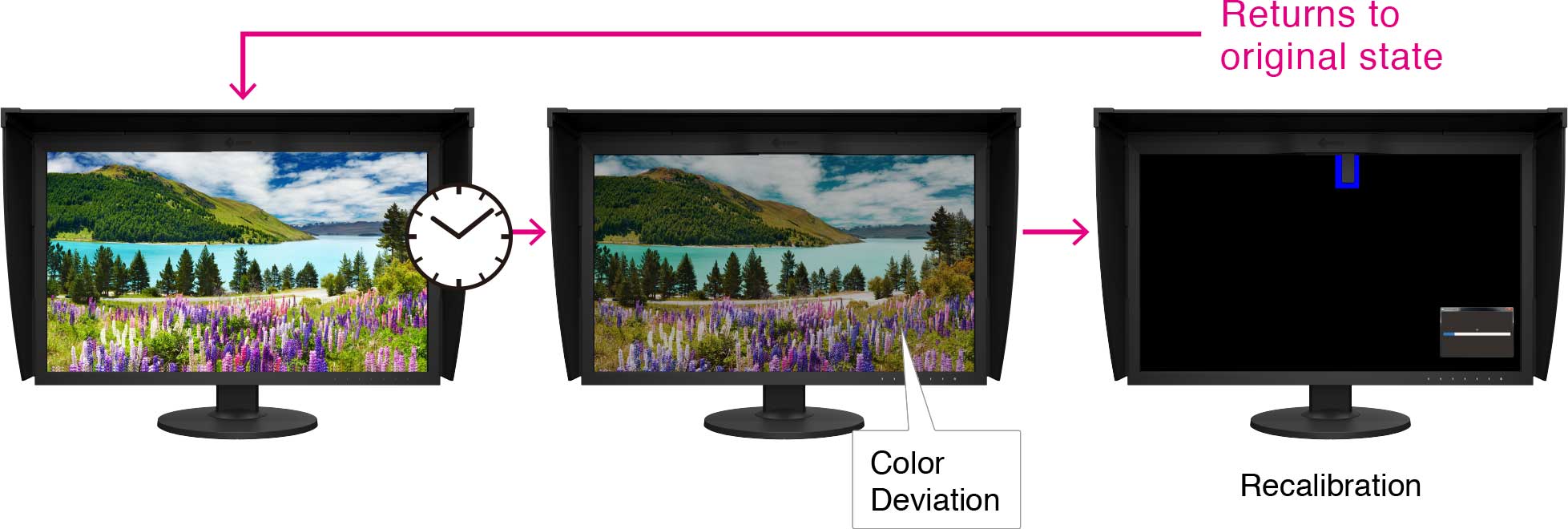
A monitor needs to be recalibrated at regular intervals to maintain color accuracy. With ColorNavigator 7 you can schedule the monitor to automatically recalibrate at a specific time or at regular intervals, even if the monitor is switched off. A reminder will also appear after a certain number of user-determined hours so you can be sure that your monitor maintains color consistency over time.
Features for Media & Entertainment
Film Emulation with 3D LUT
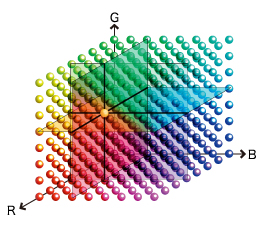
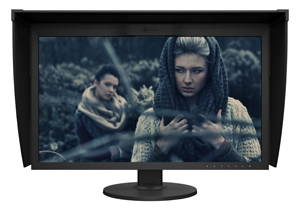
ColorNavigator 7 can create emulation data from the 3D LUT of the video content used in the color grading system for matching the look of the film on the monitor.
Supported by the CG Series only.
|
|
|
Correlation with External Sensors
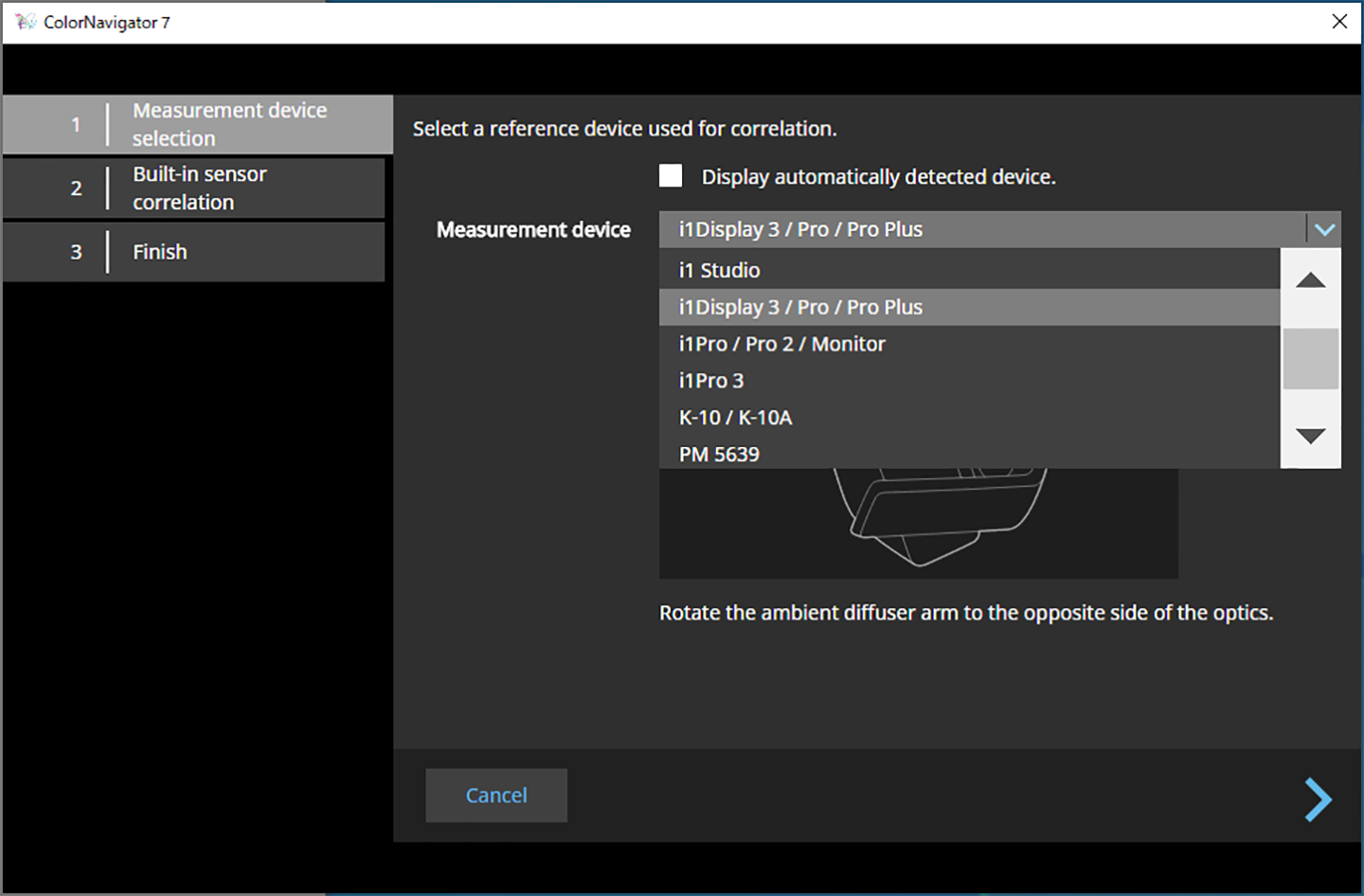
Many post production, VFX, and broadcasting studios define a specific spectrophotometer as the master sensor for their internal color management framework. ColorEdge CG series built-in calibration sensors can be correlated to any high-end spectrophotometer using ColorNavigator 7 to ensure each project meets defined standards and achieves expected levels of accuracy.
Maintain Calibration Settings with Different PCs
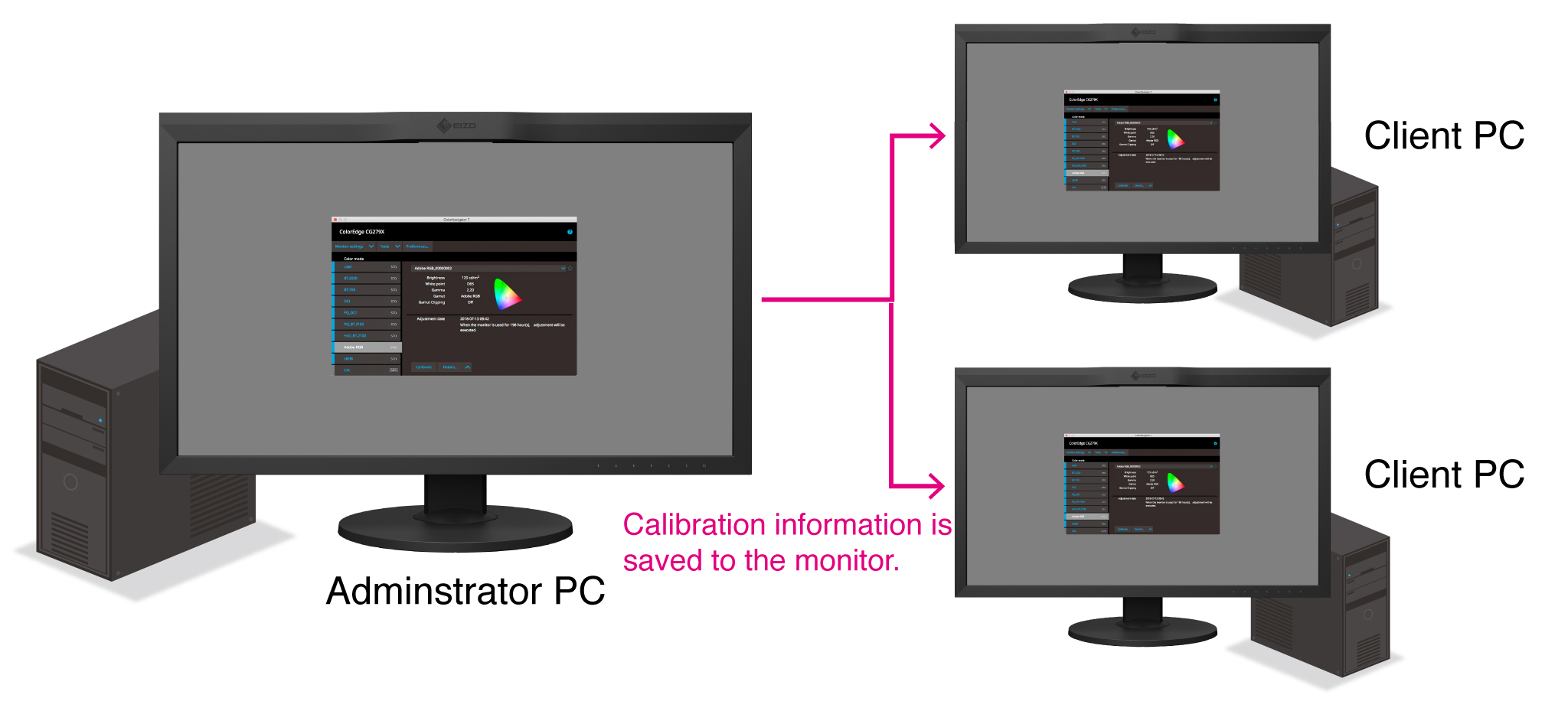
With ColorNavigator 7, calibration information carried out by the administrator is saved to each ColorEdge monitor instead of the operating system. This means that users do not need to recalibrate the monitor, even when using a different PC.
Features for Print Proofing
Fine-Tuned Manual Calibration
Sometimes due to variations in output from different printers or the special requirements of a project, it is necessary to have fine-tuned control over specific calibration targets. ColorNavigator 7 allows you to easily adjust the print proofing target's hue and saturation for all six primary and secondary colors (red, green, blue, cyan, magenta, yellow, as well as grayscale balance, to achieve the closest possible visual match.
Support in Multiple Languages
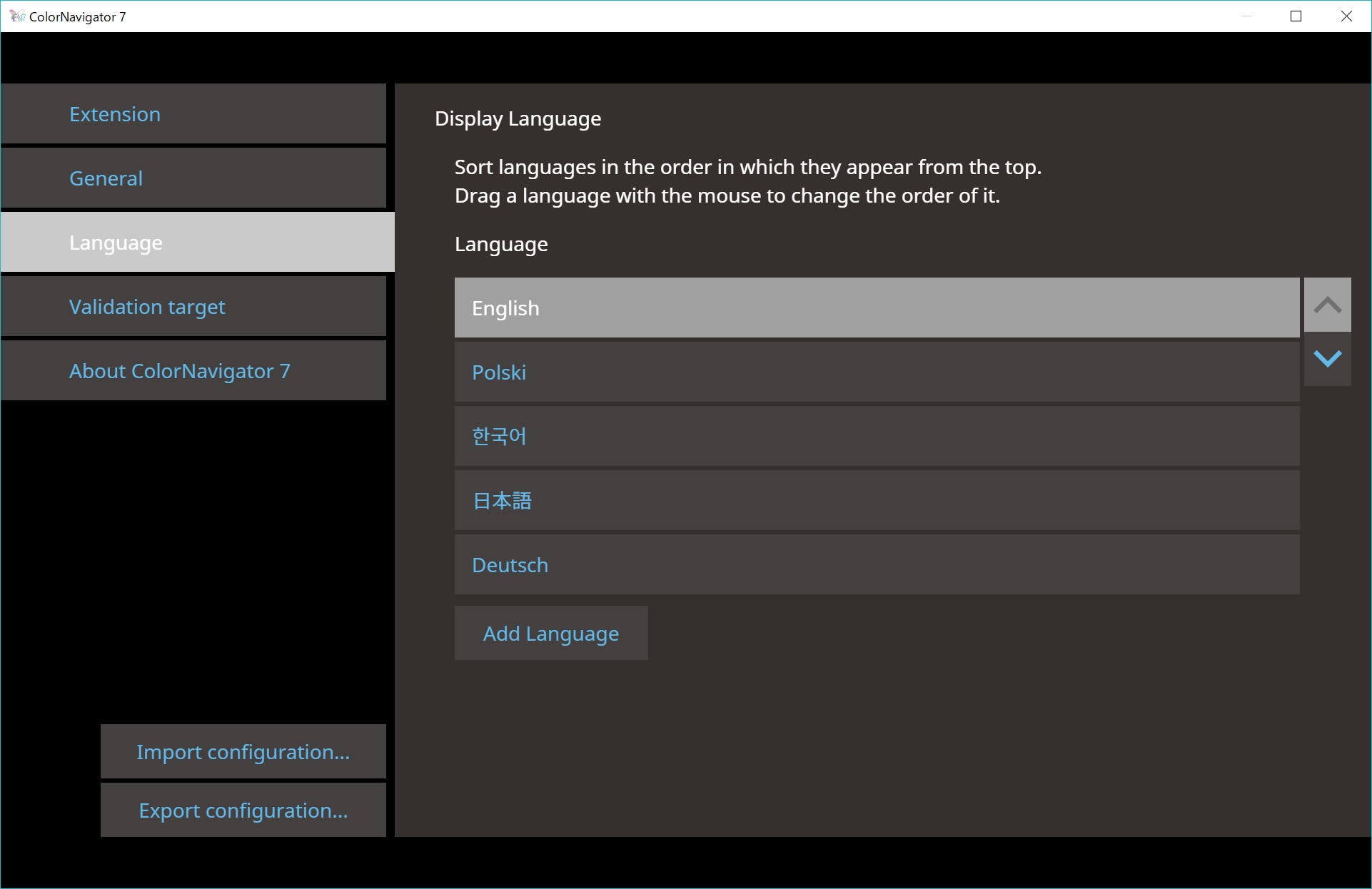
ColorNavigator 7 can be run in English, German, or Japanese by default. Users can also download language packs to run the software in other languages. New language packs will continue to be added to support users worldwide. Visit the download page for currently available language packs.
Download language packs here.
Download ColorNavigator 7
ColorNavigator 7 is available as a free download here.
For Developers
ColorNavigator API
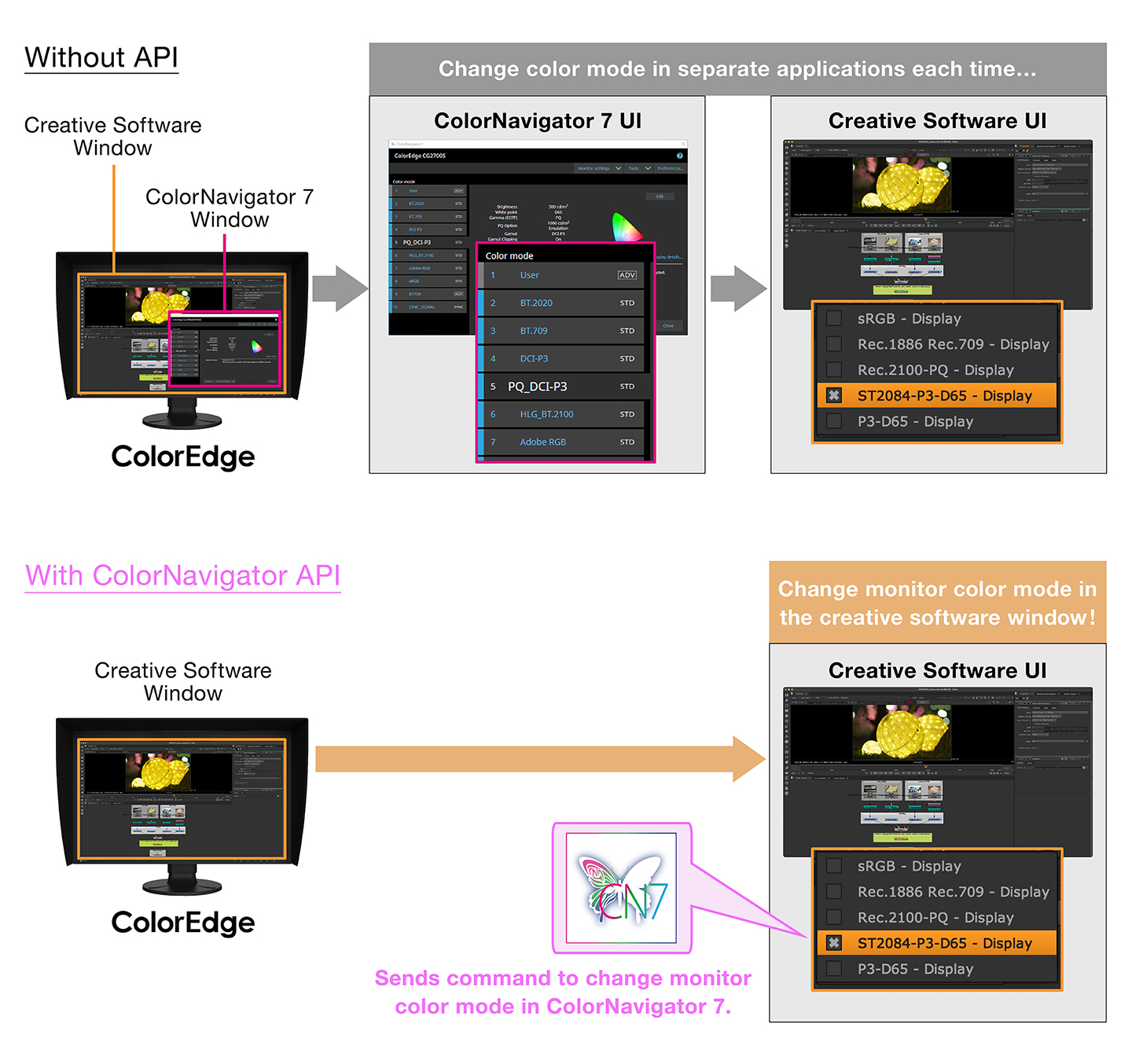
EIZO's ColorNavigator API is available for software developers and system managers to integrate ColorNavigator 7 functions into third-party applications. Integration effectively allows other applications to perform certain monitor management functions without requiring the user to operate ColorNavigator 7 in a separate window. ColorNavigator 7 functions that are available with the API include changing the color mode, creating a new calibration target, executing or canceling SelfCalibration, retrieving calibration results, and more.
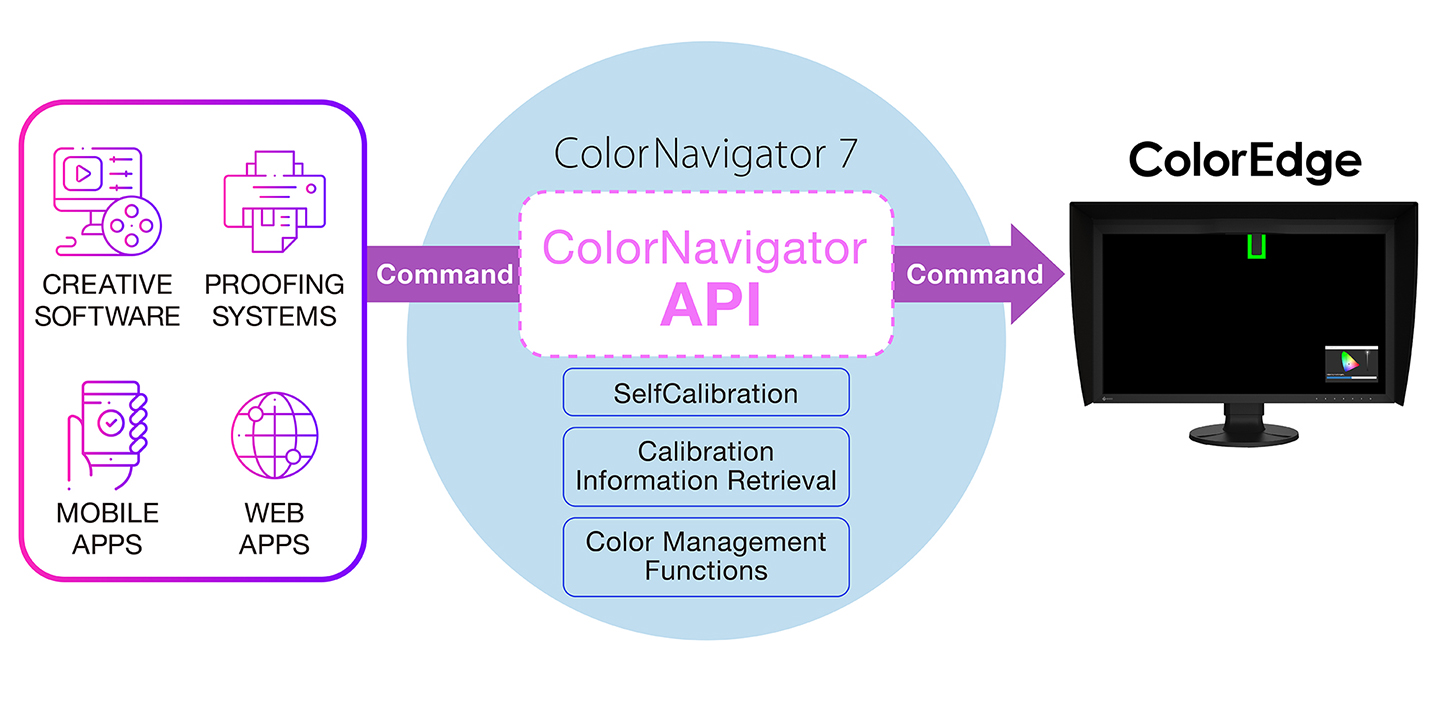
For example, with the ColorNavigator API, studios could write a script to perform functions directly from within their chosen editing software. This could allow editors to easily change the monitor's color mode to match their current project settings in fewer clicks and without leaving the editing application interface. Developers of a range of applications, such as those used for video editing, color grading, proofing systems, digital graphics, and even remote control, could use the API to improve operations throughout the workflow.
ColorNavigator API requires ColorNavigator 7 Ver.7.1.12 or later.
ColorNavigator API developer reference page.
System Requirements
ColorNavigator 7.1.12 or later are not support some ColorEdge. Please check here.
Compatible Measurement Devices
Supported measurement devices differ by the ColorNavigator version. Please check the compatibility chart (PDF).
ColorNavigator 7 does not support some calibration sensors such as EX2 and Spyder4. Please check here.
Download ColorNavigator 7
ColorNavigator 7 is available as a free download here.
Brochures
 |
ColorNavigator 7 Quick and Easy Introduction
|

Manuals
| ColorNavigator 7 User's manual | English | 4.87 MB |
|
| ColorNavigator 7 User's manual | German | 4.98 MB |
|
| ColorNavigator 7 User's manual | Chinese-Simplified | 5.29 MB |
|