
- CG2400S








- Features
- Specifications
- Documents Compatibility
- Accessories
- Awards & Reviews
Streamlined Connection
Color Precision
Reliable Color Management
Features for Video Editing
Stable Image Display
Design and Comfort
Commitment to Quality
Sustainable Future
Compact Design, Expansive Display
| The CG2400S features 1920 x 1200 resolution with a 16:10 aspect ratio that allows for more information to be displayed vertically than with Full HD, eliminating the need to scroll. The 24.1-inch screen size provides ample space to display content, even with a tool panel visible, enabling you to continue creating while seeing more of your image. |
 |
Streamlined Connection
Single Cable Connection with USB Type-C
The monitor features USB Type-C connectivity that allows you to display video, transmit USB signals, and supply power to a connected device such as a tablet or notebook PC. This convenient multi-purpose connectivity makes it faster and easier to connect when moving between creative work areas, when working remotely, or when working in a home studio.

70 W Power Delivery
The USB Type-C terminal reliably charges a connected tablet or laptop with 70 W power delivery. This eliminates the need for a laptop's bulky power supply unit, freeing up space in your bag and on the desk.

Color Precision
Vivid Colors Reproduced to Industry Standards
| The monitor's wide color gamut faithfully reproduces 98% of the DCI-P3 standard used in digital cinema and supports the BT.2020 standard used in broadcasting. In addition, it covers 99% of the Adobe RGB color space so images shot in Adobe RGB will be displayed correctly. It also covers almost the entire ISO Coated v2 and US Web Coated CMYK color spaces used in printing. |
 |
Broadcast and Cinema Presets
| The CG2400S offers preset modes for DCI-P3, BT.709, and BT.2020 to ensure you can work in the appropriate color spaces and gamma values. In addition, preset modes for PQ (DCI and BT.2100) and HLG (BT.2100) are available for viewing HDR content. With the monitor's built-in calibration sensor, you can conveniently adjust or maintain the brightness setting for each preset. |
 |
10-Bit Simultaneous Display
The monitor offers 10-bit simultaneous display* from a 16-bit look-up-table (LUT) which means it can show more than one billion colors simultaneously. This is 64 times more colors than you get with 8-bit display, resulting in smooth color gradations and reduced Delta-E between two adjacent colors.
*A graphics board and software which support 10-bit output are also necessary for 10-bit display. Equipment that supports DeepColor is required for 10-bit display when connected via HDMI®.

3D LUT for Accurate Color Display
|
The monitor is equipped with a 3D LUT (look-up table) which adjusts colors on an RGB cubic table. Using ColorNavigator 7's film emulation function, users can emulate film color properties using a 3D LUT file.
・Japan patent no. 4808588 |
 |
Reliable Color Management
Built-In Sensor to Automate Your Workflow
|
The monitor's built-in sensor can be set to calibrate the monitor automatically at designated times. This eliminates the need for a third-party calibration device and ensures your screen stays color-accurate. In addition, the sensor swings onto the screen, taking up minimal space and allowing you to continue working even during calibration.
・Japan patent no. 4809453 |
 |
ColorNavigator 7 Color Management Software
| A monitor needs to be calibrated at regular intervals to maintain color accuracy. EIZO's proprietary ColorNavigator 7 software provides an intuitive and highly precise solution to color management. It allows you to schedule automatic recalibration, calibrate all color modes simultaneously, and conduct correlation with external sensors to match the studio's internal color management framework. Calibration information is saved to the monitor instead of the operating system so users do not have to recalibrate even when using a different PC. |
 |
ColorNavigator Network Quality Control Software
ColorNavigator Network provides centralized quality control (QC) of ColorEdge monitors for studios, printing houses, and other enterprises with multiple creators and editors who work on shared projects. With Net Agent or ColorNavigator 7 installed on the workstation, administrators can manage multiple ColorEdge monitors via the web browser, enabling quality control even from remote locations. ColorNavigator Network is hosted on a secure cloud server to free you from the initial investment and running costs of providing your own server.

Features for Video Editing
HDR Gamma Curves
The CG2400S supports the hybrid log-gamma (HLG) transfer function for broadcasting and the perceptual quantization (PQ) curve for the production of films and streamed content. Both methods are gamma (EOTF*) compatible and were standardized by the International Telecommunication Union (ITU) as ITU-R BT.2100. The PQ curve was standardized by the Society of Motion Picture Television engineers (SMPTE) as ST-2084. Additionally, users can set any camera log using ColorNavigator 7 to view the camera log video on the monitor during filming.
*EOTF stands for Electro-Optical Transfer Function.
Image for illustrative purposes only.
Learn more about HDR technology
True Black Display
In compliance with the DCI standard, the monitor offers a high contrast ratio of 1800:1* for producing true blacks that are otherwise difficult to display on a typical LCD monitor. CG Series monitors are also equipped with a retardation film which allows tones to retain their depth even when viewed from an angle.
*Typical value when DUE Priority is set to "Brightness".
Sync Signal
The monitor's Sync Signal function automatically switches the color settings - brightness, gamma (EOTF), and color gamut - according to the metadata of the input signal. This eliminates the need to manually switch color settings when working on multiple projects, so users can be confident that they are always working with the correct settings.

Check PQ Contents at Any Brightness Level
The monitor offers an optional PQ gamma curve (EOTF) function that allows the input signal to be clipped or compressed to fit within the luminance value of the monitor. This allows users to simulate how the signal will appear in other display environments. The Auto setting under PQ Option menu automatically adjusts the PQ curve according to the monitor's current brightness.
Luminance Warning
The PQ Option function allows you to check PQ content at any brightness level and shows the areas of the image that are clipped when displayed at a specified brightness level. These areas are marked in yellow or magenta to easily distinguish them within the image.

BT.709 Out-of-Gamut Warning
| The monitor includes a Gamut Warning mode that indicates areas of a BT.2020 image that cannot be reproduced in the BT.709 color space, which is the standard for Full HD broadcasts, by displaying them in shades of gray. An additional mode called BT.709 Clipping allows the editor to view BT.2020 images within the BT.709 color space, simulating how it would look in an HDTV environment. |
 |
Pixel Inspection
Working within the wrong parameters affects editing decisions, potentially requiring significant rework of projects and causing costly delays in production schedules. Pixel Inspection, operated through the monitor's OSD, shows the color information of a pixel from the source input data and the data as it is displayed on the monitor.

System managers can use this information to verify that the creator's technical settings match the current project's predefined color parameters. This is especially helpful when creators are working remotely and system managers cannot verify settings directly. By ensuring that creators are working under the appropriate technical conditions, studios can reduce the likelihood of project rework due to mismatched technical settings.

Markers for Information Overlay
The CG2400S features a marker function to ensure that content, such as text or graphics, is properly positioned on the screen. The Safe Area Marker marks an area of the screen within which captions or other information will appear to ensure they are visible during broadcast. The position and size of the markers can be specified to suit the current project.

Stable Image Display
Adjusted at the Factory for Smooth Color Gradations
The gamma level for each ColorEdge monitor is adjusted at the factory by measuring the R, G, and B gamma values from 0 - 255. The monitor's 16-bit look-up-table (LUT) is then used to select the 256 most appropriate tones and achieve the desired value. This ensures the smoothest color gradations in your images.

Uniformity Across the Screen
LCD monitors commonly exhibit fluctuations in brightness and chromaticity across the screen, affecting color accuracy. To counter this, ColorEdge monitors are equipped with EIZO's patented digital uniformity equalizer (DUE) technology which corrects deviations in every tone across the screen to ensure stable display.
・Japan patent no. 4490899, 4542988, 5618574, 5651419

Image is for illustrative purposes only. Actual results will vary depending on model and environment.
Stable Display Using Industry-First AI
|
The color and brightness of an LCD monitor can shift due to changes in ambient temperature. ColorEdge CG Series monitors are equipped with a temperature sensor that measures the temperature inside the monitor and estimates the ambient room temperature. Using this technology, the monitor adjusts in real time to maintain accurate gradation, color, brightness, and other characteristics. In addition, the monitor uses AI (Artificial Intelligence) in its estimation algorithm to detect and distinguish patterns in temperature changes for more precise calculations to ensure stable and accurate display. ・Japan patent no. 6723964 |
|

Stable Color in Just 3 Minutes
A typical monitor takes 30 minutes or more for its brightness, chromaticity, and tone characteristics to stabilize. ColorEdge monitors take a mere 3 minutes* so you get reliable color display soon after turning the monitor on.
*Based on EIZO's internal testing.
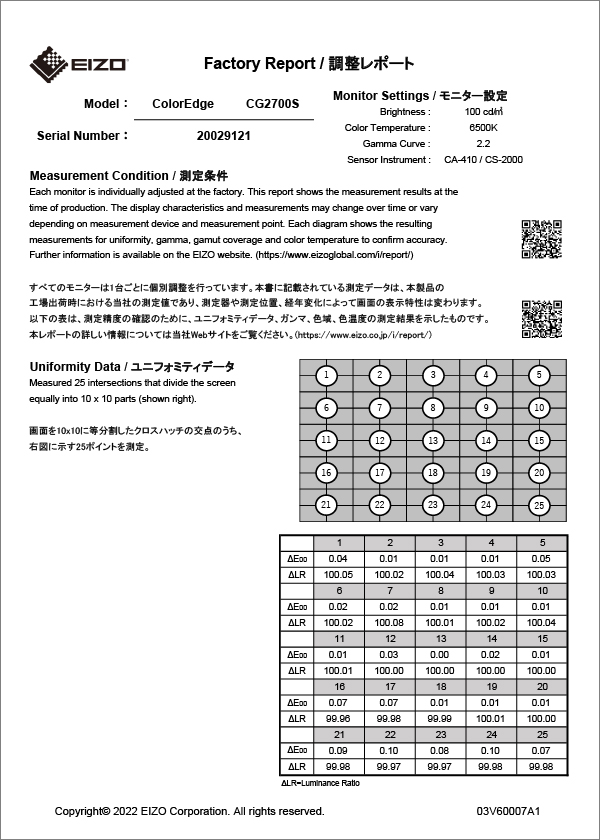
Verified Accuracy with Factory Report
| Included in the box of every CG2400S is a Factory Report which shows the measurement results at the time of production. The report includes uniformity, gamma, gamut coverage, and color temperature measurements which verify every unit's accuracy. |
 |
Design and Comfort
Noiseless, Fanless Operation
The CG2400S provides noiseless, fanless operation while still maintaining low heat output without impacting performance.

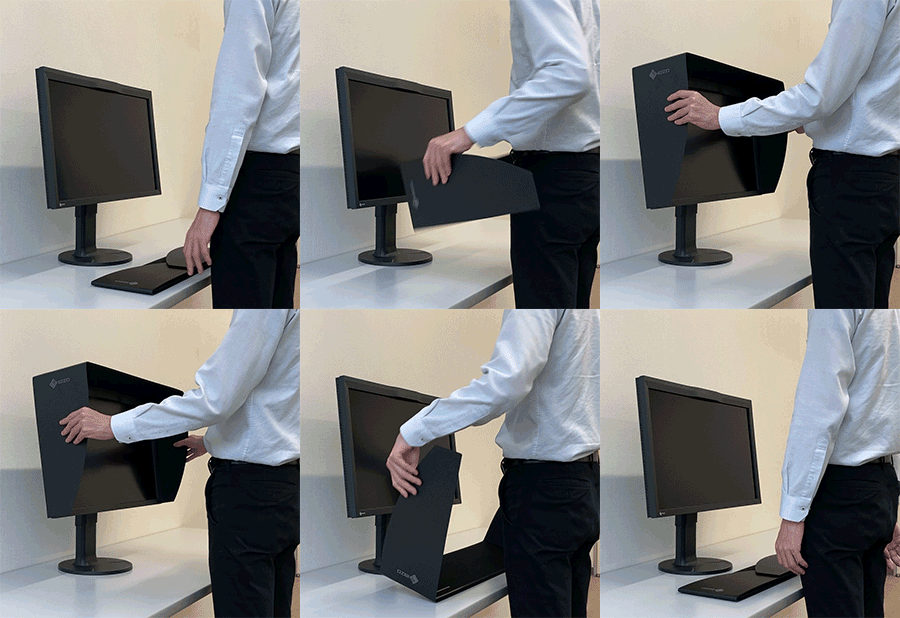
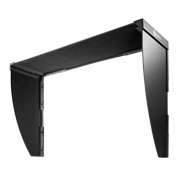
Light-Shielding HoodThe monitor comes bundled with a light shielding hood that effectively prevents glare on the screen caused by ambient lighting. The hood is designed to be lightweight and easily attaches to the monitor magnetically without needing to connect separate parts. |
 |
Ergonomic Stand
The monitor comes with a versatile stand that offers height, tilt, and swivel adjustments, allowing you to adjust the screen to the most comfortable angle and reposition it to show your work to others. The stand is also equipped with a quick release that allows you to easily remove the screen with a single touch.

Sleek Cabinet Design
The monitor's outer design features a sleek cabinet with rounded edges and a non-intrusive stand base, allowing it to fit comfortably in any creative environment, while a carrying handle on the back allows you to easily move it to other locations. In addition to USB Type-C, the monitor is equipped with DisplayPort and HDMI inputs. It also includes four USB ports (USB 5Gbps: Type A x 2, USB 2.0: Type-A x 2) that are easily accessible from the side for connecting additional devices or peripherals.

Commitment to Quality
5-Year Manufacturer's Warranty
 ColorEdge monitors are backed by a manufacturer's 5-year warranty that covers all components including the LCD panel*. EIZO manufactures its products at its own factories to allow close control over production quality and ensure each monitor is built to last.
*Usage time is limited to 30,000 hours.
Zero Bright Pixels
 EIZO guarantees this product will be free from bright sub-pixels for six months from the purchase date.
See our Bright Pixel Policy for details.
Sustainable Future
Low Environmental Impact Materials
| The CG2400S is the first monitor in the ColorEdge lineup to use recycled plastic in its housing. Made of more than 85% recycled plastic, it contributes to reducing the amount of plastic waste entering the environment, conserves resources, and promotes the reuse of materials to preserve our natural ecosystems. |
 |
Eco-Conscious Packaging
| EIZO is committed to reducing its environmental impact by transitioning away from plastic and other environmentally unfriendly materials in product packaging. The CG2400S is securely packaged using molded pulp made from recycled cardboard and newspaper, and its cables are contained within a cardboard structure instead of plastic bags. |
 |
Our Contribution to SDGs
| As part of its sustainability initiatives, EIZO is contributing towards the United Nations' Sustainable Development Goals (SDGs). |
 |
|
Higher Work Efficiency ColorEdge hardware and software solutions provide high-precision color management to photographers, designers, post production studios, printers, and more. Implementing color management in the workflow ensures the same color information is shared throughout each step of the creative process, streamlining communication between artists and teams, and reducing costly rework. |
 |
|
|
Environmentally Conscious Our products for creative work are designed to promote energy efficiency for reduced power consumption and greenhouse gas emissions, while maintaining the high performance and functionality needed for creators in every industry. We also implement a responsible after-service recycling system. |
  |
| Model Variations | CG2400S-BK |
|---|---|
| Panel | |
| Type | IPS |
| Backlight | Wide-Gamut LED |
| Size | 24.1" (61.1 cm) |
| Native Resolution | 1920 x 1200 (16:10 aspect ratio) |
| Viewable Image Size (H x V) | 518.4 x 324.0 mm |
| Pixel Pitch (H x V) | 0.270 x 0.270 mm |
| Pixel Density | 94 ppi |
| Display Colors | 1.07 billion colors, 10-bit display (from a palette of 278 trillion, 16-bit LUT) |
| Viewing Angles (H / V, typical) | 178°, 178° |
| Brightness (typical) | 400 cd/m2 |
| Contrast Ratio (typical) | 1800:1 |
| Response Time (typical) | 11 ms (gray-to-gray) |
| Color Gamut (typical) | Adobe RGB: 99%, DCI-P3: 98% |
| Video Signals | |
| Input Terminals | USB Type-C (DisplayPort Alt Mode, HDCP 2.3), DisplayPort (HDCP 2.3), HDMI (Deep Color, HDCP 2.3) |
| Digital Scanning Frequency (H / V) |
USB Type-C, DisplayPort: 26 - 76 kHz / 23 - 61 Hz
HDMI: 15 - 76 kHz / 23 - 61 Hz |
| USB | |
| Upstream | USB 5Gbps: Type-C (DisplayPort Alt Mode, Power Delivery Source 70 W max.), USB 5Gbps: Type-B |
| Downstream |
USB 5Gbps: Type-A x 2
USB 2.0: Type-A x 2 |
| Power | |
| Power Input | AC 100 - 240 V, 50 / 60 Hz |
| Typical Power Consumption | 17 W |
| Maximum Power Consumption | 150 W |
| Power Save Mode | 0.5 W or less |
| Built-in Calibration Sensor | Yes |
| Features & Functions | |
| Brightness Stabilization | Yes |
| Digital Uniformity Equalizer | Yes |
| Preset Modes | User, BT.2020, BT.709, DCI-P3, PQ_DCI-P3, HLG_BT.2100, Adobe RGB, sRGB, Calibration (CAL), SYNC_SIGNAL |
| HDR Gamma | HLG, PQ curve |
| OSD Languages | English, German, French, Spanish, Italian, Swedish, Simplified Chinese, Traditional Chinese, Japanese |
| Others | Color Adjustment, PQ Option, HLG Option, SelfCalibration, Input Color Format, YUV Color Matrix, Input Range, I/P Conversion, Picture Expansion, BT.709 Gamut warning, Luminance Warning, Marker, Menu Rotation, Power Save, Input Skip, Mode Skip, Custom Key, Information Display, Key Lock, DUE Priority, Pixel Inspection |
| Physical Specifications | |
| Dimensions (Landscape, W x H x D) | 554.4 x 408.1 - 563.1 x 245 mm |
| Dimensions (Without Stand, W x H x D) | 554.4 x 374.1 x 70.2 mm |
| Dimensions (Landscape with Hood, W x H x D) | 564.4 x 413.1 - 568.1 x 330 mm |
| Net Weight | 8.5 kg |
| Net Weight (Without Stand) | 5.5 kg |
| Net Weight (With Hood) | 9.0 kg |
| Height Adjustment Range | 155 mm |
| Tilt | 35° Up, 5° Down |
| Swivel | 344° |
| Pivot | 90° |
| Hole Spacing (VESA Standard) | 100 x 100 mm |
| Environmental Requirements | |
| Operating Temperature | 0 - 35°C |
| Operating Humidity (R.H., non condensing) | 20 - 80% |
| Certifications & Standards (Please contact EIZO for the latest information.) | CB, CE, UKCA, TUV/GS, cTUVus, FCC-B, CAN ICES (B), VCCI-B, RCM, RoHS, WEEE, TUV/Ergonomics |
| Dedicated Software | |
| Easy Screen-to-Print Color Matching Tool Quick Color Match | Supported |
| Proprietary Software | |
| Color Management Software ColorNavigator 7 | Supported |
| Supplied Accessories (May vary by country. Please contact EIZO for details.) | |
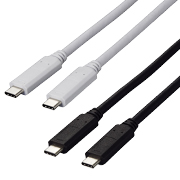
| Signal Cables | USB Type-C (2 m), HDMI (2 m) |
| Others | AC power cord, USB Type-A - USB Type-B cable (2 m), Setup guide, Factory Report, Monitor hood, Warranty card |
| Warranty |
5 Years 2 5
Zero bright sub-pixels for six months from date of purchase for purchases made on September 1, 2015 or later. |
| Dimension Drawing |
- 2 With current LCD / OLED technology, a panel may contain a limited number of missing or flickering pixels.
- 5 If the monitor is left on continuously over a long period of time, dark smudges or burn-in may appear. To maximize the life of the monitor, we recommend the monitor be turned off periodically.
Brochures
 |
|


|
|
|
Manuals
| CG2400S User's manual | English German French Russian Italian Czech Swedish Chinese-Simplified Chinese-Traditional |
- |

|
| CG2400S Setup guide | English German French Russian |
4.36 MB |
|
| CG2400S Setup guide | Chinese-Simplified | 1.42 MB |
|
| CG2400S Setup guide | Chinese-Traditional | 1.41 MB |
|
| ColorNavigator 7 User's manual | English | 4.87 MB |
|
| ColorNavigator 7 User's manual | German | 4.98 MB |
|
| ColorNavigator 7 User's manual | Chinese-Simplified | 5.29 MB |
|
Compatibility


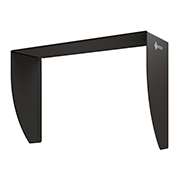
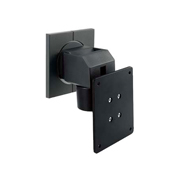
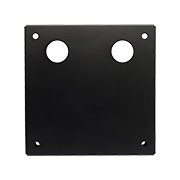
VESA mounting plate for attaching an IP decoding box to certain FlexScan monitors using VOP-01