
- S1934





- Features
- Specifications
- Documents Compatibility
- Accessories
- Awards & Reviews
Optimized Brightness with Auto EcoView
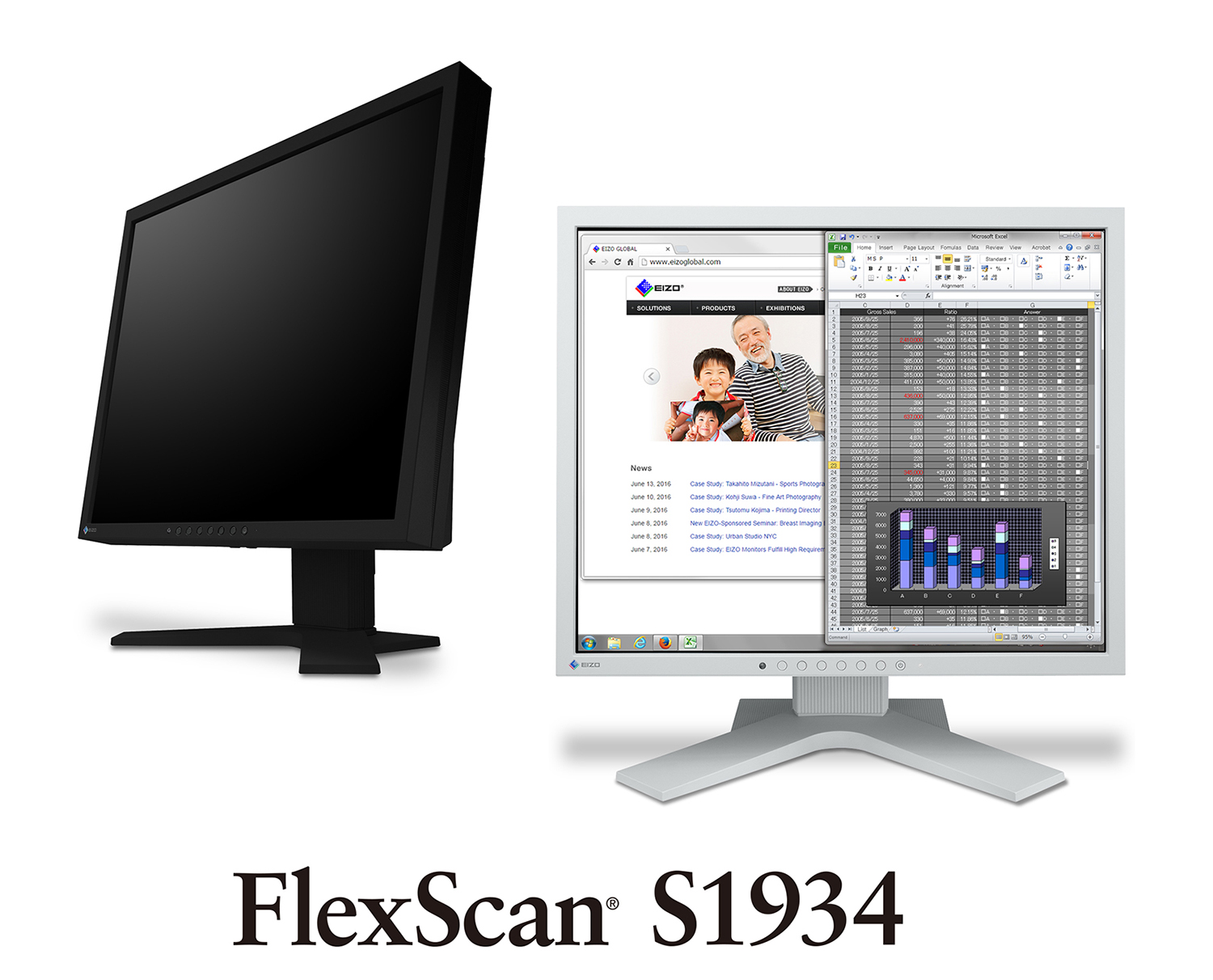
The Auto EcoView function is a sensor on the front of the monitor that measures ambient light and optimizes the screen's brightness to a level akin to viewing a sheet of paper under typical office lighting conditions. Since the screen is never too bright, eye strain is reduced while power consumption is cut by up to 50% compared to operating the monitor with Auto EcoView turned off and set to the default factory brightness of 100%.

Three Inputs Including DisplayPort
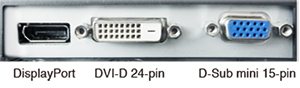
DisplayPort, DVI-D 24-pin, and D-Sub mini 15-pin inputs are included for connection with various graphics boards.
Reduced Blue Light
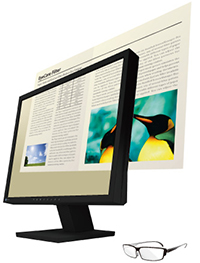
A preset mode called “Paper” adjusts the brightness, contrast ratio, and color temperature to simulate those of printed paper. Paper mode significantly reduces the amount of blue light emitted from the screen for more comfortable viewing.
IPS Panel with Wide Viewing Angles
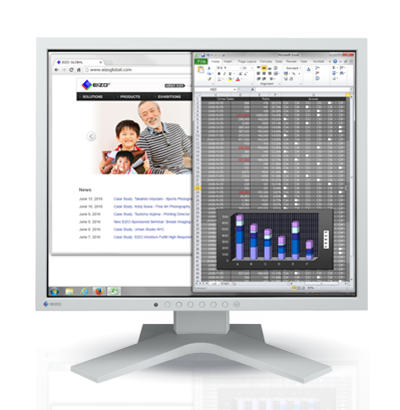
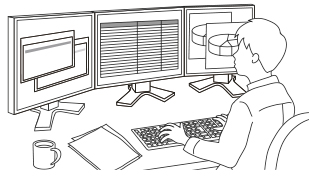
The IPS (in-plane switching) panel offers 178° viewing angles to minimize color shift and contrast when viewing the screen at an angle. This ensures stable and consistent display when two or more people view the screen at once or in a multi-monitor environment.
Viewing Comfort with an Ergonomic Stand
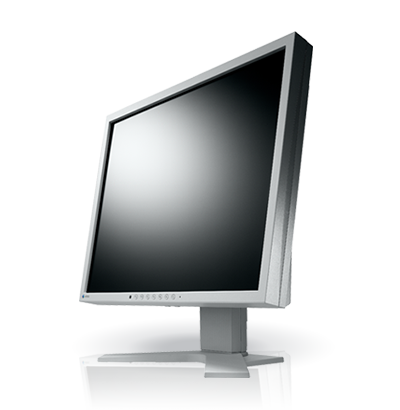
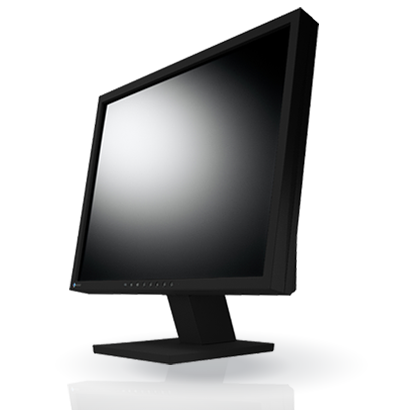
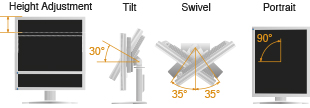
Adjust the screen to the most comfortable position with 100 mm height adjustment, 30° tilt, 70° swivel, and 90° rotation for portrait mode. A stand with 30° tilt only is available as an option.
Built to Last Five Years
 EIZO’s five-year warranty is two years or 67% longer than the standard three-year warranty of most brands. Even if the initial purchase price of the FlexScan S1934 is higher than another 19-inch monitor, the TCO (total cost of ownership) will likely be lower due to the significantly longer buying cycle and less need for repair.
Optional LCD Panel Protector
The FP-1901 protector fits easily between the LCD screen and bezel, has a light transmission rate of more than 90%, and includes both an anti-glare coating side to reduce light reflection and a glossy side for crisper, more vibrant images.
Our Contribution to SDGs
| As part of its sustainability initiatives, EIZO is contributing towards the United Nations' Sustainable Development Goals (SDGs). |
 |
|
Environmentally Conscious FlexScan are sustainable monitors made using recycled plastics and without using any paints. They are designed to promote energy efficiency for reduced power consumption and greenhouse gas emissions, and are supported by a responsible after-service recycling system. |
   |
|
|
Higher Work Efficiency FlexScan monitors implement numerous innovative technologies and software that aim to improve work efficiency and contribute to the reduction of eye fatigue. |
 |

| Model Variations |
S1934-HBK: with Height Adjustable Stand, black
S1934-HGY: with Height Adjustable Stand, gray S1934-TBK: with Tilt Stand, black S1934-TGY: with Tilt Stand, gray S1934-FBK: without stand, black S1934-FGY: without stand, gray Note: Stand is removable |
|---|---|
| Panel | |
| Type | IPS |
| Backlight | LED |
| Size | 19" (48.0 cm) |
| Native Resolution | 1280 x 1024 (5:4 aspect ratio) |
| Viewable Image Size (H x V) | 374.8 x 299.8 mm |
| Pixel Pitch (H x V) | 0.293 x 0.293 mm |
| Pixel Density | 87 ppi |
| Display Colors | 16.77 million |
| Viewing Angles (H / V, typical) | 178° / 178° |
| Brightness (typical) | 250 cd/m2 |
| Contrast Ratio (typical) | 1000:1 |
| Response Time (typical) | 14 ms (gray-to-gray) |
| Color Gamut (typical) | sRGB |
| Video Signals | |
| Input Terminals | DisplayPort (HDCP 1.3), DVI-D (HDCP 1.4), D-Sub mini 15 pin |
| Digital Scanning Frequency (H / V) | 31 - 64 kHz / 59 - 61 Hz |
| Analog Scanning Frequency (H / V) | 31 - 64 kHz / 55 - 61 Hz |
| Sync Formats | Separate |
| Audio | |
| Speakers | 0.5 W + 0.5 W |
| Input Terminals | Stereo mini jack, DisplayPort |
| Output Terminals | Headphones (Stereo mini jack) |
| Power | |
| Power Input | AC 100 - 240 V, 50 / 60 Hz |
| Typical Power Consumption | 9 W |
| Maximum Power Consumption | 21 W |
| Power Save Mode | 0.5 W or less |
| Features & Functions | |
| Preset Modes | User1, User2, sRGB, Paper, DICOM |
| Automatic Brightness Control | Auto EcoView |
| OSD Languages | English, German, French, Italian, Japanese, Simplified Chinese, Spanish, Swedish, Traditional Chinese |
| Physical Specifications | |
| Dimensions (Landscape, W x H x D) |
S1934-H: 405 x 406.5 - 506.5 x 205 mm
S1934-T: 405 x 414 x 205 mm |
| Dimensions (Without Stand, W x H x D) | 405 x 334 x 61.5 mm |
| Net Weight |
S1934-H: 5.6 kg
S1934-T: 4.6 kg |
| Net Weight (Without Stand) | 3.8 kg |
| Height Adjustment Range |
S1934-H: 100 mm
S1934-T: - |
| Tilt |
S1934-H: 30° Up, 0° Down
S1934-T: 30° Up, 5° Down |
| Swivel |
S1934-H: 35° Right / 35° Left
S1934-T: - |
| Pivot |
S1934-H: 90° (clockwise)
S1934-T: - |
| Hole Spacing (VESA Standard) | 100 x 100 mm |
| Environmental Requirements | |
| Operating Temperature | 5 - 35°C |
| Operating Humidity (R.H., non condensing) | 20 - 80% |
| Certifications & Standards (Please contact EIZO for the latest information.) | TUV/Ergonomics, TUV/GS, RCM, CE, UKCA, CB, cTUVus, FCC-B, CAN ICES (B), TUV/S, VCCI-B, EPA ENERGY STAR, RoHS, WEEE, China RoHS, CCC, EAC |
| Supplied Accessories (May vary by country. Please contact EIZO for details.) | |
| Signal Cables | DVI-D (2 m) , D-Sub mini 15 pin (1.8 m) |
| Others | AC power cord (2 m), audio cable (2.1 m), setup guide |
| Warranty | 5 Years |
| Dimension Drawing |
- 2 With current LCD / OLED technology, a panel may contain a limited number of missing or flickering pixels.
- 5 If the monitor is left on continuously over a long period of time, dark smudges or burn-in may appear. To maximize the life of the monitor, we recommend the monitor be turned off periodically.
Brochures
 |
FlexScan Series 2024
|

|
|
FlexScan S1934
|
Manuals
| S1934 User's manual | English | 2.81 MB |
|
| S1934 User's manual | German | 2.82 MB |
|
| S1934 User's manual | French | 2.82 MB |
|
| S1934 User's manual | Russian | 2.84 MB |
|
| S1934 User's manual | Czech | 1.33 MB |
|
| S1934 User's manual | Chinese-Simplified | 3.17 MB |
|
| S1934 User's manual | Chinese-Traditional | 3.05 MB |
|
| S1934 Setup guide | English German French Russian Chinese-Simplified Chinese-Traditional |
1.48 MB |
|
| S1934 Setup guide | Italian | 1.64 MB |
|
| S1934 Setup guide | Czech | 1.66 MB |
|
| S1934 Setup guide | Swedish | 1.64 MB |
|
| S1934 Setup guide | Arabic | 873 KB |
|
| S1934 Setup guide | Danish | 1.64 MB |
|
| S1934 Setup guide | Dutch | 1.65 MB |
|
| S1934 Setup guide | Finnish | 1.65 MB |
|
| S1934 Setup guide | Greek | 1.65 MB |
|
| S1934 Setup guide | Korean | 1.77 MB |
|
| S1934 Setup guide | Norwegian | 1.64 MB |
|
| S1934 Setup guide | Polish | 1.65 MB |
|
| S1934 Setup guide | Portuguese | 1.83 MB |
|
| S1934 Setup guide | Spanish | 1.82 MB |
|
| S1934 Setup guide | Turkish | 1.65 MB |
|
| LIMITED WARRANTY | English German French Russian Chinese-Simplified Chinese-Traditional |
630 KB |
|
Compatibility
| Date | Subject |
|---|---|
| June 27, 2023 | Compatibility between RadiForce monitors using DisplayPort daisy chains |
| January 18, 2022 | How to Correctly Rotate Your Monitor Vertically |
| July 30, 2019 | Abnormal Display Issue on Microsoft Windows 10 May 2019 Update (1903) |
| July 24, 2019 | Booting Issue with Mac mini 2018 (macOS Mojave 10.14.5) when Connecting Monitor via USB Type-C or DisplayPort |
| March 15, 2018 | Hitachi PC (HF-W6500 model 55) Compatibility |